

0.01-100Khz 4 Output Large 7.83 Schumann Resonance Generator Pure Sine Wave 150MM Onboard Antenna With Cycle Timing Function
Product details
| Management number | 220424374 | Release Date | 2026/05/03 | List Price | US$19.08 | Model Number | 220424374 | ||
|---|---|---|---|---|---|---|---|---|---|
| Category | |||||||||
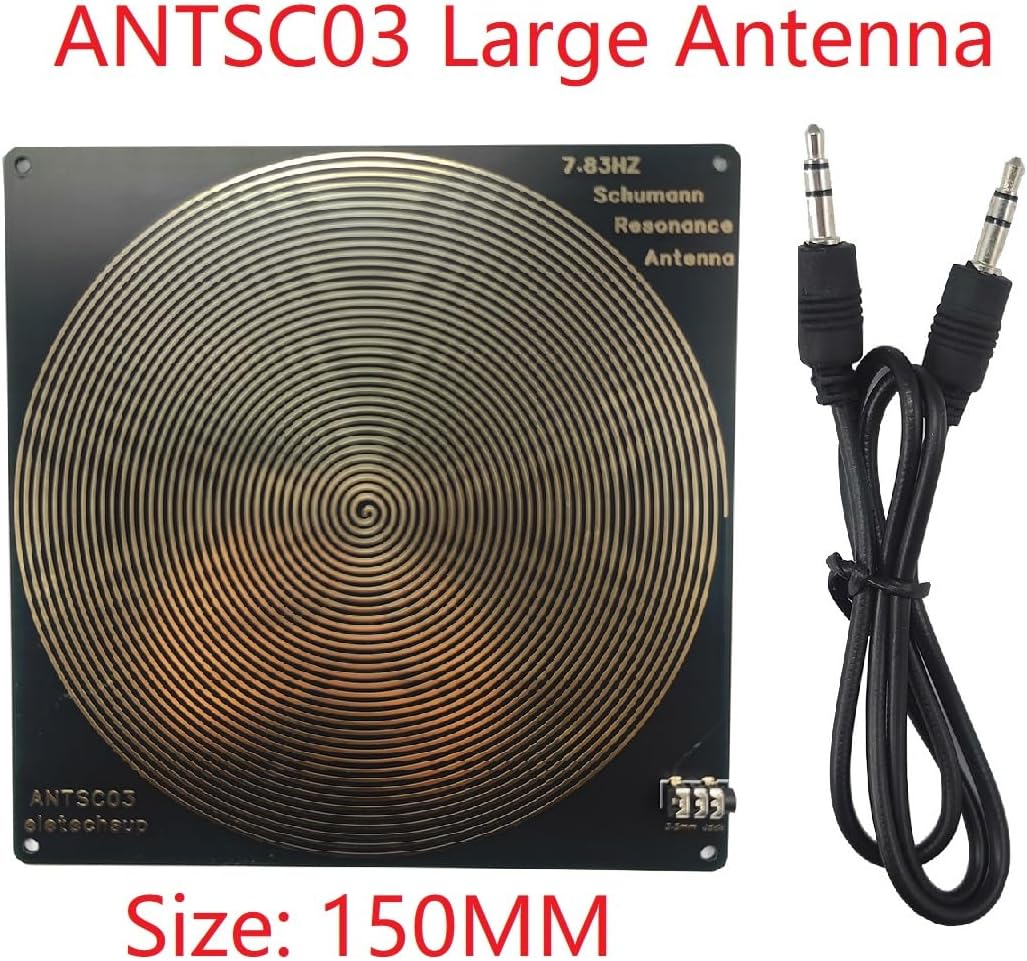
SMFSB07 is a large Schumann wave signal generator designed and produced by eletechsup. It not only has a 150MM large-size spiral antenna onboard, but also has 4 audio outputs, each with an independent dedicated operational amplifier chip. If you connect 4 150MM Schumann wave antennas (ANTSC03) at the same time, plus the onboard antenna, you can have 5 Schumann wave signal outputs at the same time.This product can not only output 7.83Hz Schumann wave,but also can adjust the frequency within the range of 0.01Hz~100KHz,digital circuit crystal oscillator frequency reference, more stable, stronger anti-interference1 Working voltage: DC 5V2 Working Power: 5W3 Power interface: Type-c(Support TYPE-C TO TYPE-C power supply)4 Default frequency: 7.83Hz5 Adjustment range: 0.01Hz~100000Hz Pure Sine Wave6 Volume Adjustable:0-3V7 Signal voltage amplitude: 3V8 With 4X 3.5MM audio output9 Size: 195*155*26MM(With shell)10 Weight : 378g(With shell)New features:1 Schumann wave cycle timing output function2 150MM large onboard antenna3 4 3.5MM audio outputs with independent dedicated amplifiers4 Acrylic shell wraps most components5 Encoder adjustment parametersHow to use:1 Use a mobile phone charger with TYPE-C and plug it into the TYPE-C port of the board.2 Then place it in a suitable position to experience the Schumann Resonances signal.Some users do not need to output Schumann wave signals all the time, so this model adds a cyclic timing output function.The SMFSB07 signal generator timing output enable/disable time is adjustable from 0 to 100 seconds.''ON Time'' adjusts the output enable time''OFF Time'' adjusts the output disable timeThe signal will enable or disable the output in a continuous cycle according to the time set by ''ON Time''/''OFF Time''.SMFSB07 signal generator 0.01HZ-100000HZ adjustable, the steps are as follows:0.01-99.99HZ: step 0.01HZ100.0HZ-999.9HZ: step 0.1HZ1000HZ-9999HZ: step 1HZ10000HZ-99999HZ: step 10HZFrequency 0.01HZ-100Khz adjustableQ&A:Q1:How to adjust the frequency (for example, to 100HZ)DEMO : https://youtu.be/Nxyj_QHUxVM1 Click the ''Adj Frequency'' encoder to enter the ''Input (Hz)'' menu bar2 Rotate the ''Adj Frequency'' encoder to adjust to the frequency you need3 Click the ''Adj Frequency'' encoder again to save the parametersReminder: 1 Rapid rotation of the encoder is a quick setting function2 Automatically save and exit the setting if no action is taken within 20 seconds3 If you need to keep the parameters after power-on, please turn on the ''power-off storage function'' first.Q2:How to adjust the signal output time (for example: 6 seconds to turn on the output, 4 seconds to turn off the output)1 Click the ''Adj Timer'' potentiometer to enter the ''ON Time (SEC):'' menu bar2 Rotate the ''Adj Timer'' potentiometer to set the parameter to 63 Click the ''Adj Timer'' potentiometer again to enter the ''OFF Time (SEC):'' menu bar4 Rotate the ''Adj Timer'' potentiometer to set the parameter to 45 Finally, click the ''Adj Timer'' potentiometer to save and exitQ3:How to save parameters even after power off?A3:Please press and hold the ''Adj Timer'' encoder until the LCD displays ''Data Save ON''Q4: How to turn OFF/ON the LCD backlight?A4:Please press and hold the ''Adj Frequency'' encoder until the LCD backlight is OFFPlease press and hold the ''Adj Frequency'' encoder until the LCD backlight is ONQ5 How to restore factory settings:1 Normally, power on again to restore default settings.2 If the power-off save function is enabled, please press and hold the ''Adj Timer'' encoder until the LCD displays ''Data Save OFF'', then power on again to restore factory settings.
- This product can not only output 7.83Hz Schumann wave,but also can adjust the frequency within the range of 0.01Hz~100KHz,
- digital circuit crystal oscillator frequency reference, more stable, stronger anti-interference
| UPC | 762232104085 |
|---|---|
| Brand | eletechsup |
| Color | SMFSB07+ANTSC03+TB463 |
| Manufacturer | eletechsup |
| Model Number | SMFSB07+ANTSC03+TB463 |
| BuiltIn Media | SMFSB07+ANTSC03+TB463 |
| Mfr Part Number | SMJAC03_R |
| Number of Items | 1 |



Bestseller ranking
Home Fragrance Accessories


Customers who viewed this product also viewed
Internal Frame Backpacks


Correction of product information
If you notice any omissions or errors in the product information on this page, please use the correction request form below.
Correction Request Form